Xbox Game Pass vs. PlayStation Plus: Plans, Games, and Value Compared
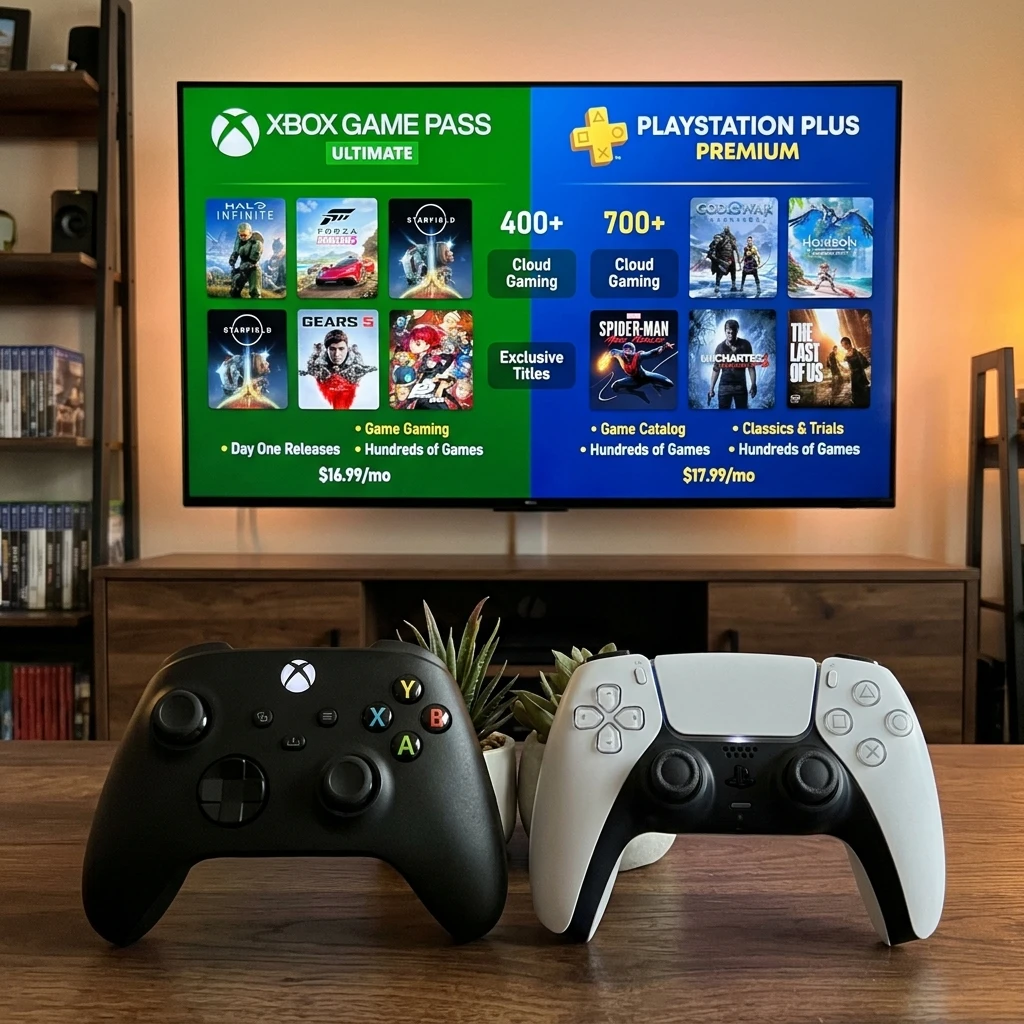
Xbox Game Pass and PlayStation Plus both provide access to games for a recurring fee, but their plans, libraries, and extra features differ. The right choice depends on your console or devices, the games you want to play, and whether you value new releases, online multiplayer, or a deep back catalog.
Think of the decision in three parts: where you play, what you want to play, and how often you use the extras. Prices, plan names, and features can change by region and over time, so check each service’s current plan page before subscribing.
How the subscription tiers work
Xbox Game Pass and PlayStation Plus each use tiers to bundle game access with additional features. In broad terms, Game Pass offers different combinations of console, PC, and cloud access, while PS Plus organizes its benefits into Essential, Extra, and Premium.
Game Pass Core is Xbox’s entry-level console plan. It includes online multiplayer on supported console games and a smaller selection of games to play while subscribed. It is the closest fit for someone who mainly wants online play and a limited rotating game selection.
Game Pass Ultimate combines a larger game catalog with benefits that may include console and PC access, online multiplayer, and cloud gaming in supported regions and on compatible devices. The exact lineup and included benefits can change. Check whether the games you want are available on your platform before paying for the broader bundle.
PlayStation Plus has three main tiers:
- PS Plus Essential: Monthly games to claim, online multiplayer, and other core membership benefits. The monthly games are available to play while the membership remains active, subject to the service’s terms.
- PS Plus Extra: Essential benefits plus access to a larger game catalog for PS4 and PS5, with availability varying by region.
- PS Plus Premium: Extra benefits plus selected classic games, game trials, and cloud streaming in supported markets. Some features and catalog selections vary by location.
Neither subscription means you permanently own every included game. Catalog titles can leave, and access to claimed monthly games generally depends on an active membership. If you want to keep a favorite game indefinitely, buying it separately may be the safer option.
Game libraries and new releases
Game Pass and PS Plus Extra or Premium give subscribers access to rotating game catalogs, but their approaches to new releases differ. Xbox Game Pass is known for including many first-party Xbox releases on launch day, while PS Plus generally does not promise day-one access to new PlayStation Studios games.
With Game Pass, eligible first-party games from Xbox’s studios can arrive in the service on their release date, though individual titles, platforms, and terms should always be checked. Some third-party games also launch in the catalog, but this is not guaranteed for every major release. For players who buy several new games each year, launch-day access can make a higher-tier subscription compelling.
PS Plus Extra and Premium focus on a broad selection of downloadable games, including older releases and some comparatively recent additions. Sony may add games after their retail launch, but subscribers should not assume that every first-party release will be available on day one. Essential works differently: its monthly games are offered to claim rather than as a permanent, always-available catalog.
Both services rotate games. A title can leave the catalog, so check its removal date if you are halfway through a long campaign. A practical rule: compare the next few games you genuinely plan to play, not the total catalog count. A library of hundreds has little value if it does not match your taste or available playtime.
Multiplayer and extra features
Both services provide online multiplayer access through eligible membership plans, but the included extras depend on the tier. Game Pass Ultimate bundles multiplayer with a wider set of gaming options, while PS Plus Essential provides the core PlayStation multiplayer benefits.
On Xbox consoles, Game Pass Core and Ultimate generally include online console multiplayer for games that require it. Free-to-play games may have different access requirements, so confirm the rules for a specific title. On PlayStation, online multiplayer is included with PS Plus Essential, Extra, and Premium for games that require membership.
Cloud gaming is a notable Game Pass Ultimate feature where supported: it can let subscribers stream selected games to compatible devices without installing them locally. Performance depends on internet quality, location, device, and the game. It is useful for trying a game or playing away from a console, but it is less dependable than a local download for players with unstable connections or strict latency needs.
PS Plus Premium also offers cloud streaming in selected regions and on supported devices. Premium adds access to selected classic games and time-limited trials for some titles. These features suit curious players who want to sample games or revisit older PlayStation releases, but the available collection and streaming options differ by market.
Before upgrading, separate features you will use weekly from those that merely sound attractive. A player who never streams games may get more value from a lower tier and buying occasional titles outright.
Price and overall value
The better value depends on your region, billing period, and how many included games and features you actually use. Compare the current monthly and annual prices for equivalent tiers rather than relying on old price lists, since subscriptions and promotions can change.
For a fair comparison, use this simple test: estimate the cost of the games you expect to play during the next three months, then compare it with the membership fee for the same period. Include online multiplayer only if you need it, and account for the possibility that a catalog game may leave before you finish.
- Choose an entry tier if online play is your main need and you buy most games individually.
- Consider a catalog tier if you regularly try several games and are comfortable with rotating availability.
- Pay for a top tier only when you expect to use its specific benefits, such as cloud gaming, PC access, classic games, or trials.
Promotional rates can make a first month look unusually cheap. Check the renewal price, billing frequency, cancellation terms, and whether a discount applies only to new subscribers. A subscription is strongest value during months when you actively play several included titles; keeping it year-round out of habit can erase the savings.
Which service suits your gaming setup?
Your gaming setup and play habits are the clearest way to choose between Xbox Game Pass and PS Plus. Start with the hardware you already own, then compare the games and features you will use on it.
Choose Game Pass when flexibility and new releases matter
Game Pass Ultimate is a strong fit for Xbox players who want a large catalog, online multiplayer, and access across supported Xbox and PC setups. It also suits players interested in cloud gaming or eligible first-party Xbox games at launch. Check each title’s platform availability: not every game in the service runs on every device.
Choose PS Plus when you play on PlayStation
PS Plus Essential is a practical choice for PS5 or PS4 owners who mainly need online multiplayer and want to claim monthly games. Extra makes more sense if you will explore its downloadable catalog; Premium may suit players who value classic titles, trials, or cloud streaming where available.
If you own both consoles, there is no rule that says you must choose only one service. Subscribe to the one that best fits your current play schedule, then pause or cancel when its library no longer serves you. Avoid paying for overlapping catalogs just because both have a long list of games.
Xbox Game Pass vs. PS Plus: Final verdict
There is no universal winner: Game Pass stands out for eligible launch-day Xbox releases and cross-device options, while PS Plus offers tiered access built around PlayStation multiplayer, catalogs, and selected classics. The better subscription is the one that fits your hardware and the games you will actually play.
For Xbox and PC players who want a changing library and value cloud access or launch-day releases, Game Pass Ultimate may justify its higher cost. For PlayStation owners, Essential covers core multiplayer needs, while Extra or Premium can make sense for regular catalog exploration and their additional features.
Before subscribing, verify current prices, regional availability, platform compatibility, and the specific games included. Treat each service as rented access, not a replacement for owning the titles you want to keep. That distinction makes it easier to choose a plan without paying for features you will rarely use.
Frequently asked questions
Which service includes new games at launch?
Xbox Game Pass includes many eligible first-party Xbox releases on launch day, subject to the title and plan. PS Plus generally does not include new PlayStation Studios games at launch as a standard benefit.
Can you use either subscription on more than one device?
Game Pass access varies by plan and game, with console, PC, and cloud options available through supported tiers and devices. PS Plus is centered on PlayStation consoles, while Premium cloud streaming is limited to supported regions and devices. A subscription does not automatically mean simultaneous access on multiple devices; check account and game-specific rules.
Do both services include online multiplayer?
Yes. Game Pass Core and Ultimate generally include online multiplayer on Xbox consoles, and all three PS Plus tiers include multiplayer access for supported PlayStation games that require it. Individual games and free-to-play titles may have different requirements.
Can you subscribe to both Game Pass and PS Plus?
Yes. You can subscribe to both if you own and use the relevant Xbox and PlayStation platforms. Compare the combined cost with your actual playtime, and consider rotating memberships instead of paying for both during months when you use only one.